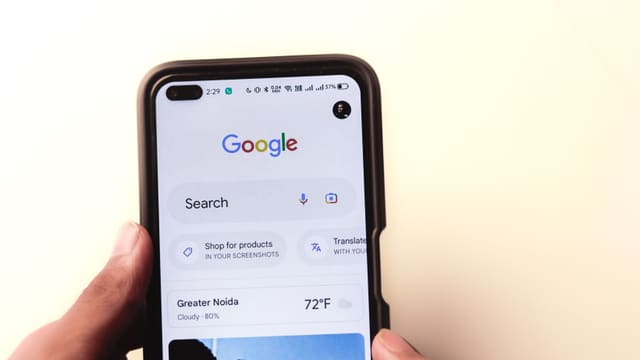
Google AI Mode home services booking went live in the US on Nov. 4, 2026. Someone who asks AI Mode for a plumber, electrician or lawn service can now book a time or request a quote from a local pro without leaving Google. Google's VP of Product for Search, Robby Stein, announced it on X: "It's available now in the U.S."
If you run a home service business, or market one, the question is simple: how do you end up in that answer? The short version is that you need to be on one of four platforms, and your Google Business Profile has to match it exactly.
Who is in it
Stein named four partners at launch:
- Field service software: Jobber and Housecall Pro. Requests land in your own scheduling app, like any other online booking.
- Marketplaces: Angi and Thumbtack. A homeowner who picks a pro from Angi is sent to that pro's Angi profile to request a quote.
- Coming soon: ServiceTitan.
Lead fees differ. Jobber's help page says "there are no lead fees for requests that come through Google AI Mode," and Housecall Pro says the same. Angi's announcement doesn't say whether its normal fees apply to requests that start in AI Mode, and Thumbtack hadn't published its terms when we checked.
How to get listed through Jobber
Jobber has published the clearest requirements, and they are a good checklist for any platform:
- A paid US subscription. Trial accounts don't show in AI Mode.
- A Google Business Profile connected to Jobber at the same address. In Jobber, go to Marketing, then More, then Google Profile, and connect the account.
- A complete address that matches Google Maps exactly. Jobber suggests picking the address from the autocomplete list as you type. If it still won't match, make the phone number and website identical to your Business Profile.
- "Help clients find my business" turned on under Settings, then Company Settings.
- A booking form, not just a request form. Jobber connects your default request form, but says a booking form, where people pick a time, can help you get recommended more. You can still require approval before a booking is confirmed.
Once Google matches the profile, a Book Online button appears that links to your Jobber form. Jobber says that usually takes a few days.
Housecall Pro works differently: it says its pros are enrolled automatically, and its partner page says no Business Profile is required.
How does AI Mode choose which businesses to show?
Google hasn't said. Jobber's help page offers one clue: "Reviews help Google AI Mode decide which businesses to recommend." That fits everything else we know about local results, where reviews, categories and a complete profile already decide who shows in the map pack.
Our view: treat this as an extension of your Google Business Profile, not a new channel to learn. The businesses that already have a complete profile, steady reviews and accurate hours are the ones most likely to be picked.
There's a second change that affects far more businesses. Since Friday, Nov. 6, local SEOs including Joy Hawkins, Brandon Schmidt and Syed Amir have reported Book Online buttons appearing on Business Profiles that never set up booking, according to Search Engine Roundtable.
Some of those buttons go to the business's contact page. Others point to Google's own "maps/reserve" booking page and return a 500 error. Syed Amir found that adding a Contact page URL in the profile's booking link field is now enough to trigger the button, which used to require one of Google's booking partners.
Google hasn't commented, so we don't know if the broken links are a bug or a test.
What to do this week
- Click your own booking button. Search your business name on Google, open the Business Profile and tap Book Online (or Schedule) on a phone. If it errors, change the booking link in your profile to a page that works.
- If you use Jobber or Housecall Pro, check that the AI Mode setting is on and your address matches Google Maps character for character.
- Ask for reviews. It's the one ranking hint any partner has published.
- Watch your bookings. Jobber tags requests by source. Note the date you were connected, so you can tell later whether AI Mode sends real jobs.
What we don't know yet
Google hasn't said how many businesses appear per answer, whether ads will be mixed into these results, or when this comes to countries outside the US. We'll update this story when it does.